• Pricing
Login

Organize your projects into folders
11 Mar 2026

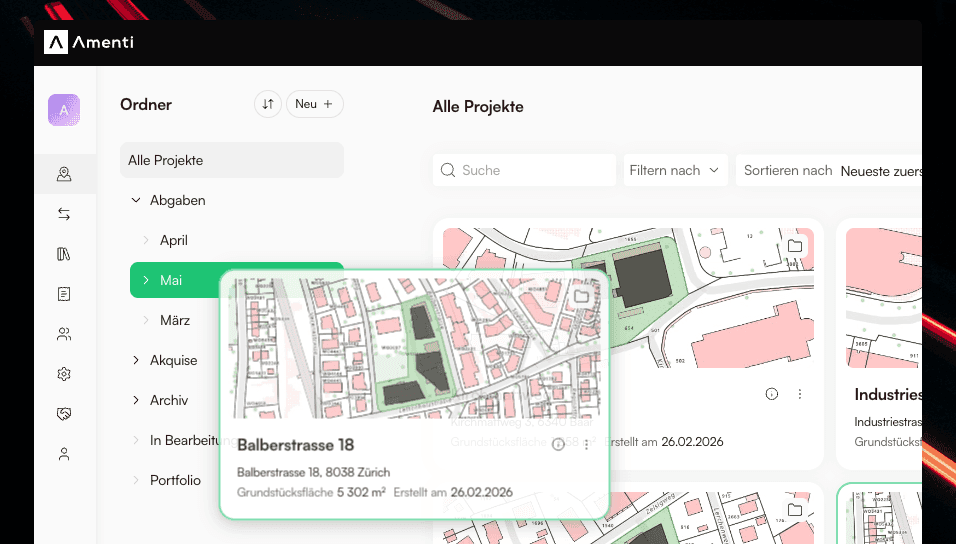
Projects can now be organized with folders in the dashboard. Create your first folder by clicking the Add folder button in the workspace dashboard. Use the sidebar to create more folders, move, rename or delete them, and switch between All projects and any folder to focus on a subset of your work.

Move projects into folders

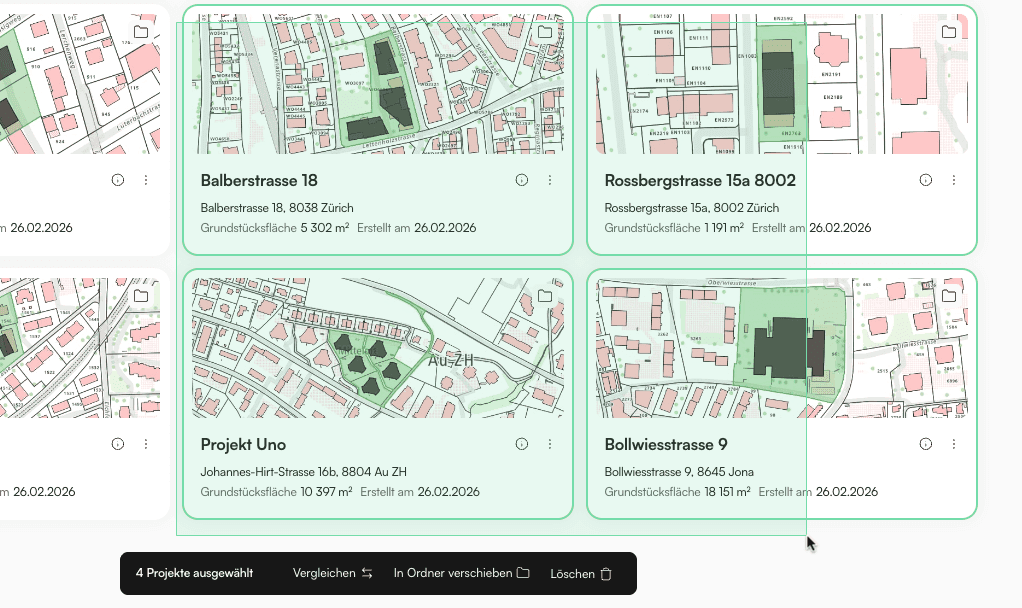
Select one or more projects by dragging or clicking. Use Shift+Click to select a range, or Cmd+Click / Ctrl+Click to pick individual projects. Then use Move to folder to organize them, or simply drag them onto a folder in the sidebar.
Organize folders

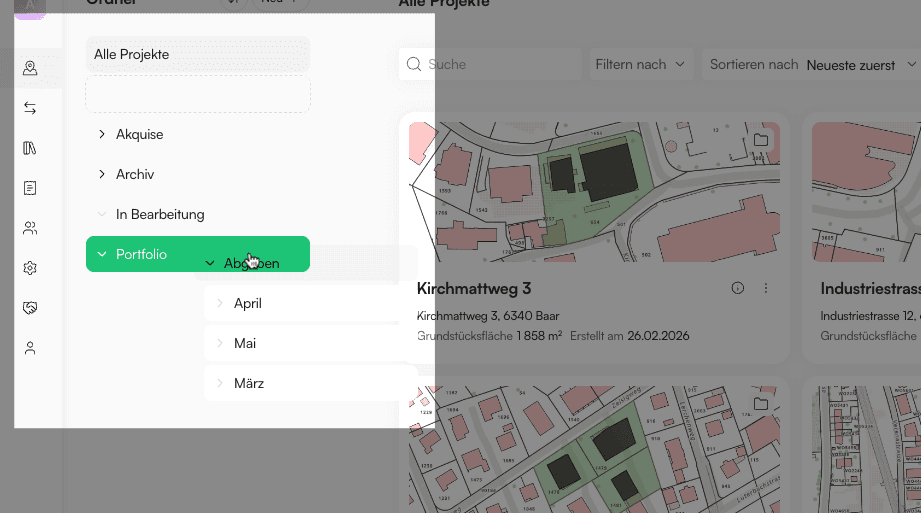
You can drag folders in the sidebar to move them. Open a folder from the sidebar to work only with the projects inside it.
NewerImproved project collaboration functionsOlderIntroducing Workspaces

Start your first feasibility analysis today

Discover every plot in Switzerland for free. Switch anytime to a license for unlimited feasibility analyses, or commission our architects with a professional analysis or study

Discover AmentiPricing

Do you have questions?

We're happy to help you out. Whether it's about software, licenses, building regulations, feasibility studies, or our services – our team will answer your questions personally and competently. Together, we'll find the right solution for your project.

Toni Fuentes

Toni Fuentes

+41 44 224 49 00

Contact
Feasibility analysisPotential analysisPlot informationPricing
MissionTeamPartnersNews
Customer supportWhat's NewDocumentationVideo tutorialsFAQ
Terms and conditionsCookie policyPrivacy policyImpressuminfo@amenti.ch+41 44 224 49 00

© Amenti AG 2026